Send the documents. We build the underwriting model.
You send the rent roll, the operating history and the loan terms. The property is built in your own Solsten CRE account, ready to open, change and share. Your first setup is free.
Built by Eric Davis, the underwriter who built Solsten CRE.
What you send
- Rent roll. A spreadsheet is best. A PDF or a clear photo works too.
- Operating history. The last twelve months of actual income and expenses (a T-12), or this year's budget.
- Loan terms. The lender's term sheet, or a note that the purchase is all cash.
- Market assumptions, if you have a view: market rent, months vacant between leases, leasing costs, exit cap rate.
- Ownership. Single owner, partnership or syndication.
Send your property's own records. Anything you cannot supply becomes a Solsten default, labelled as a default, that you can change later.
What you get
- The property in your own account, with every input visible and editable.
- A year-by-year operating statement built from the leases and expenses you sent.
- A lease-by-lease rent roll timeline across the hold period.
- Expense recoveries by tenant and debt service from your loan terms.
- Leveraged and unleveraged returns, including IRR and NPV.
The Free plan keeps one property and lets you share it with unlimited viewers.
What a Finished Setup Looks Like
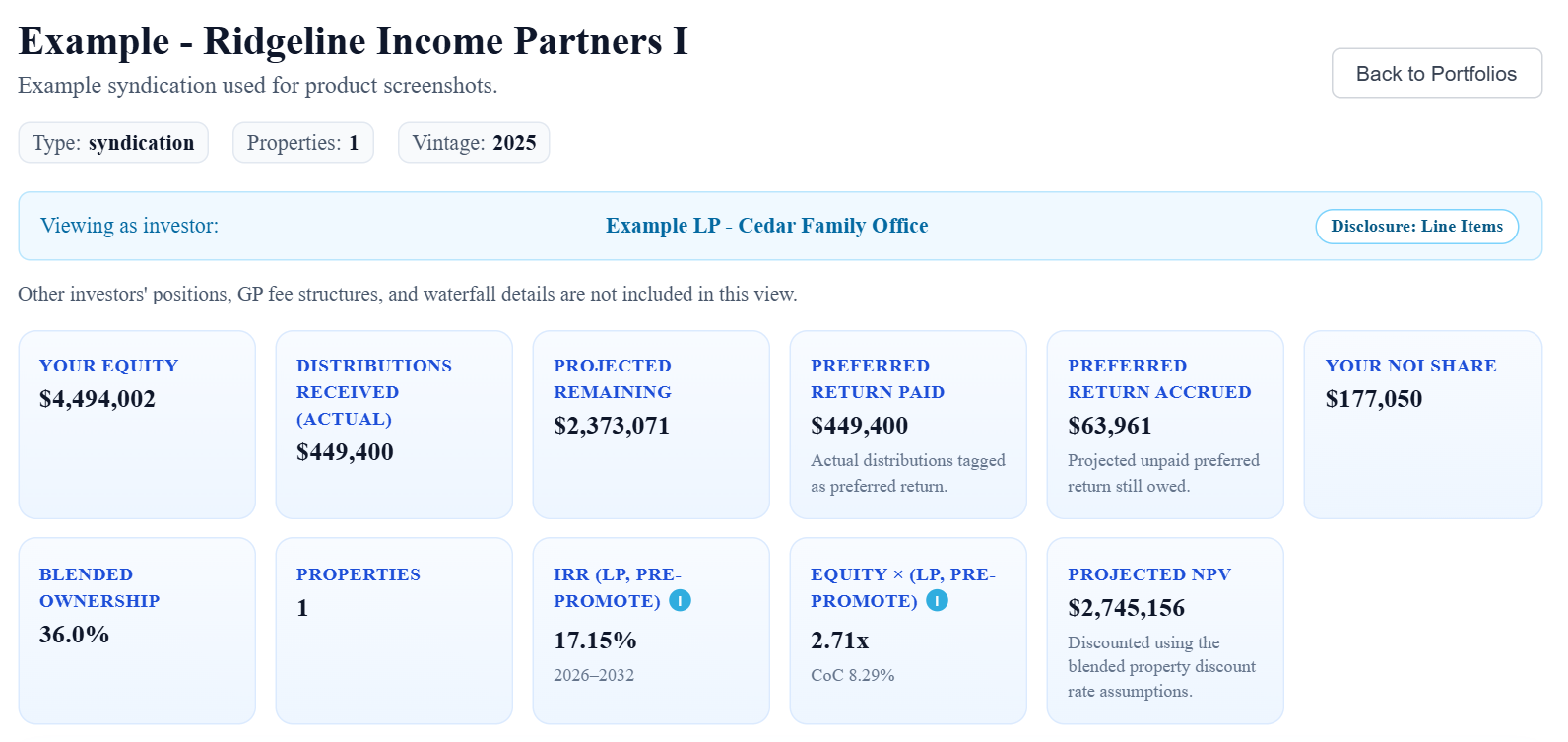
Four of the screens waiting in your account when the setup is done. Example data shown. Click any image to enlarge it.
See the Finished Documents
Two public examples of what comes out of a finished model. Both use example data.

How It Works
Create a free account
No credit card. The finished property is built here, so it is yours from the start.
Send what you have
In the app, choose "Send your documents and we'll build it." The request form is a checklist of everything a setup needs.
We build it
If something is missing you get one email with the full list. The clock starts when everything has arrived.
Open it in your account
You get an email when it is ready. Review every input, change what you want, and share it.
Coming back for another property? Open Support in the app and choose "Request a property setup." One request at a time.
What It Costs
Every paid setup is quoted by email first. Nothing is built until you accept the quote.
| Setup | Price | Terms |
|---|---|---|
| Your first property | Free | Up to 10 suites or units with a spreadsheet rent roll, or 5 with a PDF. Built within two business days of having everything needed. |
| A larger first property | Quoted | You get a reply within two business days with a turnaround, and a quote if it needs more than an hour. |
| Setups after your first | From $250 | A typical property of 15 to 20 units is $750. Introductory price: $500 for setups requested by February 28, 2027. A second property you own needs a paid plan. |
| Equity waterfall and investor reporting | Quoted | Needs the Starter plan ($99 a month). The first month of Starter is included in the setup fee. |
| Offering memorandum | Quoted | Built from the finished model. See a sample offering memorandum. |
A building you own
Built as a property that stays in your account.
A deal you are evaluating
Built as a 30-day analysis you can convert later.
What This Is, and What It Is Not
What it is
- Data entry and modeling. Your property, entered from the documents and figures you provide.
- Built in software made for the job. Solsten CRE is built for commercial real estate underwriting.
- Yours to change. You stay in charge of the assumptions, and every input stays editable.
What it is not
- Not an appraisal or a broker opinion of value.
- Not a recommendation to buy, sell, hold or finance.
- Not advice. It is not investment, legal, tax or accounting advice.
- Not a substitute for your review. You review every input and output before relying on them.
Setups are provided by Nordic Real Estate Services, LLC. The full setup terms are shown on the request form before you send anything.
Frequently Asked Questions
Is the first setup really free?
Yes. Your first property is set up at no charge when it has up to 10 suites or units and the rent roll is a spreadsheet, or up to 5 when the rent roll is a PDF. A larger first property gets a reply within two business days with a turnaround, and a quote if it needs more than an hour, before any work starts.
What do I need to send?
The rent roll, the operating history (a T-12 or a budget), the loan terms or a note that the purchase is all cash, your market assumptions if you have a view, and the ownership structure. Anything you cannot supply becomes a Solsten default, labelled as a default, that you can change later.
How long does a setup take?
A first setup at the sizes above is built within two business days of having everything needed. If something is missing you get one email with the full list, and the clock starts when it arrives.
What does a paid setup cost?
Setups after your first are quoted by email before any work starts, from $250. A typical property of 15 to 20 units is $750, with an introductory price of $500 for setups requested by February 28, 2027. Nothing is built until you accept the quote. The Free plan keeps one property you own, so a second owned property needs a paid plan as well.
Where does the finished model live?
In your own Solsten CRE account. You can open it, change the inputs and share it with as many viewers as you like. A building you own is built as a property that stays. A deal you are evaluating is built as a 30-day analysis you can convert later.
Can you set up the equity waterfall and investor reporting?
Yes, quoted per property before any work starts. Waterfall modeling and investor reporting need the Starter plan ($99 a month), and the first month of Starter is included in the setup fee.
Is this an appraisal or investment advice?
No. The model is built from the documents and figures you provide, for your own analysis. It is not an appraisal, a broker opinion of value, or a recommendation to buy, sell, hold or finance. You review every input and output before relying on them.
Start With Your First Property
Create a free account, send what you have, and open the finished model in your own account.
No credit card required